


Learning Games for Toddlers
4.5182.00 Reviews
App Specs
- Version
- 9.08.16
- Updated On
- License
- Free
- Downloads
- 1,000,000+
- Developer
- Bebi Family: Educational Games for Kids
- Categories
- Educational
- Platform
- Android
Screenshots
 Analysis by AppCompare
On a shared household device, a preschool game has to do more than hold a child’s attention: it needs to be easy to hand over, simple to supervise and suitable for a short stretch of play. I find Learning Games for Toddlers most useful as a small activity to do together, rather than as a substitute for conversation, toys or an adult nearby. That distinction matters when a young child is still learning how to use a screen.
A small game for the in-between moments
Picture a rainy afternoon when dinner is nearly ready and a toddler wants something to do while an adult finishes a household task. A few rounds of matching or counting can give the child a focused activity, and a parent can sit close enough to talk about what appears on screen. Naming a color together or asking the child to point to a shape turns tapping into a shared moment instead of leaving the device to do all the teaching.
That kind of use suits the game better than handing over a phone for an open-ended stretch. Preschoolers may enjoy repeating a familiar activity, but repetition alone is not a reason to keep extending screen time. I would decide in advance whether this is a brief waiting-room distraction, a turn-taking activity with a sibling, or a few minutes of supervised practice, then put the device away when that purpose is met.
Make the handover deliberate
On a family tablet, it helps to treat the game as one child’s activity at a time, even if several people in the home use the same device. Before handing it over, I would close anything unrelated, check that the child is in the intended game, and stay nearby. Those small steps reduce accidental trips into other apps and make it easier to notice when a young child is getting restless or frustrated.
Shared devices also blur the line between a child’s play and an adult’s settings, purchases or personal use. I recommend that a grown-up handle installation and any purchase decisions, rather than asking a toddler to make choices on a screen. If siblings take turns, a simple verbal rule—one turn each, then a break—can be more dependable than expecting children in this age group to manage a device boundary on their own.
What the game is, and who it suits
Learning Games for Toddlers is a free educational game from Bebi Family: Educational Games for Kids, aimed at preschool children aged two to four. Its central appeal is a collection of short puzzle-style activities rather than a long story or a competitive game. The age rating is Everyone, and the game has a 4.5 average from around 6,300 ratings, with more than a million installs. Those figures suggest it has found a broad audience, though they cannot tell a parent whether a particular child will enjoy its pace or presentation.
The best fit is a young child who likes tapping, matching and repeating simple tasks, with an adult available to make the play more interactive. It may also suit caregivers who want a focused option for a short pause in the day, especially when the alternative would be aimless browsing through videos. I would not choose it for a child looking for open-ended drawing, a deep pretend-play world or a game intended to keep an older child challenged for a long session.
Worth Reading Before You Choose

EA SPORTS FC Mobile 26 Is a Bigger Football Game, but It Takes Time

Flipboard Shows What News Apps Must Do Beyond the Feed

Switching to Android Auto Means Rethinking Your Driving Routine

Google Calendar Makes a Crowded Week Easier to Manage

Ludo King Makes the Most of the Minutes Between Plans

Baby Panda World Brings Quick Play to Modern Phones, but Its Game Library Feels Busy
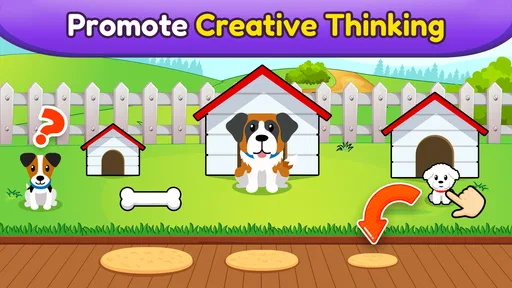
The developer describes the experience as fifteen puzzle activities for preschoolers, with a no-ads emphasis. That makes the format easier to understand than a sprawling app with many unrelated modes: a caregiver can introduce one kind of task, watch how the child responds, and decide whether to continue. The practical value is not that a screen can teach every early skill on its own, but that a small, clear activity can prompt useful conversation when an adult joins in.
Use it alongside, not instead of, ordinary play
Compared with common alternatives such as short children’s videos, the puzzle format asks a child to make a choice or complete an action instead of only watching. Compared with physical shape sorters or counting toys, it is easier to bring out when a real toy is not handy, but it cannot provide the same hands-on feel. I see those options as companions rather than rivals: a child can match colors in the game and then look for the same colors in a book, on a toy or around the room.
A useful way to keep the activity from becoming passive is to narrate one step at a time. Rather than supplying every answer, I would give the child a chance to try, then ask a simple question such as “Which one looks the same?” If the child guesses incorrectly, a calm hint is usually more helpful than repeated correction. This keeps the focus on exploring the task, not on treating every tap as a test.
There is a trade-off in using a phone for a preschooler: touch controls are direct, but small screens can make it harder for an adult and child to look together. A shared tablet is often more comfortable for side-by-side play, while a phone is more convenient when space is tight. In either case, I would keep the device at a comfortable distance and avoid using the game as background entertainment during every quiet moment.
What’s This App All About?
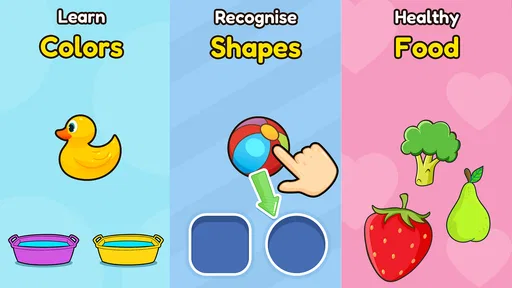
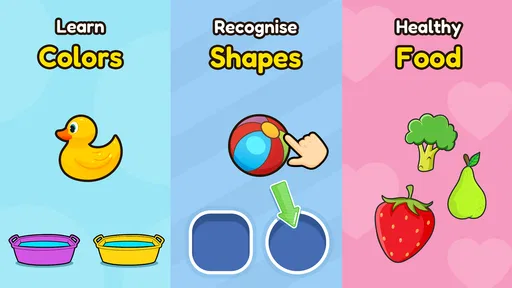
Alright, let’s dive right into it. Learning Games for Toddlers is designed with the curious minds of toddlers in mind. It’s packed with a variety of mini-games that focus on different skills like shapes, colors, numbers, and even some basic vocabulary. The best part? It’s super engaging, which means less screen-time guilt for us parents.
The app is all about making learning a playful experience. Your little ones won’t even realize they’re learning because they’ll be too busy having a blast with the colorful animations and catchy tunes. I mean, who knew education could be this fun?
Features That Stand Out
One of the standout features has to be the wide variety of games. There’s something for every toddler, whether they’re just starting to recognize shapes or are a bit more advanced and ready to tackle numbers. Plus, the app is designed to adapt to your child’s learning pace, which is pretty neat.
Another cool feature is the parental control option. You can set playtime limits, ensuring your little one doesn’t spend too much time glued to the screen. It’s a win-win: they get to learn, and you get peace of mind.
How It Works
Getting started with the app is a breeze. Once you’ve downloaded it (available on both Android and iOS, by the way), you’ll be greeted with a simple interface that even the youngest toddlers can navigate. Just tap on a category, and let the fun begin!
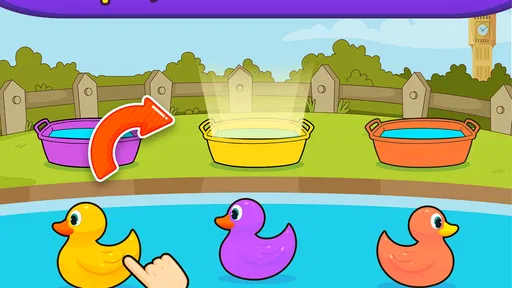
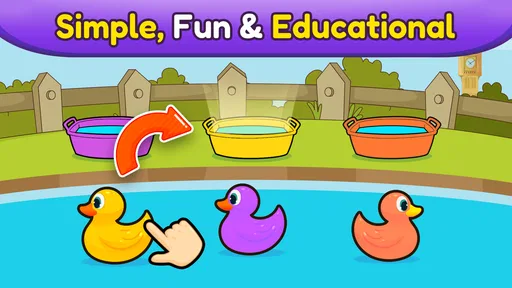
The games are interactive and intuitive. For instance, in the colors section, your child might be asked to match objects of the same color. In the numbers game, they might have to count objects and tap on the correct number. It’s all about reinforcing learning through repetition and play.
Why Your Toddler Will Love It
So, why will your toddler fall head over heels for this app? For starters, the bright visuals and cheerful sounds are super appealing. The app does a fantastic job of capturing their attention without overwhelming them.
Plus, the reward system is a clever touch. As they complete challenges, they earn stars or stickers, which motivates them to keep playing (and learning!). It’s like having a mini classroom right in your pocket.
My Personal Take
As a parent, I’m all about tools that make learning fun and effortless, and it ticks all the boxes for me. It’s educational, entertaining, and most importantly, it lets my toddler explore and learn at their own pace.
There are practical limits to keep in mind before installing it. The game is free to start, but it offers in-app purchases ranging from $4.99 to $344.99 per item, so I would review purchase settings on the device before a child uses it. That is a sensible household boundary for any child-facing app, not a reason to assume a preschooler should be navigating payment choices. The current version is 9.08.16 and it requires Android 6.0 or later; check that the device meets the requirement before planning to use it.
The no-ads emphasis is appealing for a young audience, but it does not remove the need for supervision or make the app a full learning plan. I would skip it if you want a completely hands-off way to teach, if your child is not ready for touchscreen play, or if you specifically need a game centered on open-ended creativity. For those needs, a physical activity or an adult-led game may be a better match.
Final Thoughts
In a nutshell, if you’re looking for an app that seamlessly blends play with education, it is a solid choice. It’s user-friendly, packed with educational content, and most importantly, it’s a hit with the kiddos.
So, go ahead and give it a whirl. Download it, let your little one take it for a spin, and watch as they learn and grow. Happy parenting!
A realistic household routine
For a shared household device, I would make the adult the person who opens the game and sets the context. A toddler can then choose among the activities available to them, while a caregiver stays close enough to help with a difficult instruction or redirect attention. When another family member needs the device, ending the turn clearly—rather than letting the child wander through the home screen—keeps the handover calmer.
If a child becomes absorbed in repeating one puzzle, that can be a useful cue to join in rather than simply allowing the session to run on. Ask them to explain what they are matching, then connect the idea to something nearby. If they are tired or losing interest, there is little value in pressing on just because another activity is available. The game works best as one small part of a varied day.
Questions worth settling before play
Parents often want to know whether a child can use it independently. The interface is described as simple, but at this age I would still expect an adult to begin the session, stay available, and manage the device. Whether a toddler can tap through comfortably will depend on their individual coordination and familiarity with touchscreens, so a short supervised try is more informative than assuming every child of the same age will respond alike.
Another reasonable question is whether the game can replace toys or learning time with an adult. I would say no: it offers screen-based puzzles, while blocks, books, conversation and everyday sorting activities provide different kinds of practice. Its strongest role is as a convenient extra when a caregiver can turn what appears on screen into a real exchange, not as the household’s only educational activity.
Families may also wonder whether the free entry means every part is available without payment. It is free to download, but optional purchases are offered, so the adult should decide whether any paid content is appropriate and secure the device against unintended spending. That is especially important on a shared tablet where children may recognize familiar buttons without understanding what a purchase means.
Finally, I would not treat the age range as a promise that every toddler will find every puzzle easy or engaging. A child who is just becoming comfortable with touch controls may need help, while a child who already recognizes the concepts may want a different challenge. Watching how the child responds is the simplest way to judge whether this is a good fit in your home.
My household verdict
I would keep this game in the category of handy, supervised screen activities: a reasonable choice for preschoolers who enjoy simple puzzles and for caregivers who want a short activity they can share. Its educational theme and approachable format are strengths, while purchases, screen habits and the need for an adult’s judgment remain part of the decision. If your family is comfortable with those boundaries, it can be a useful option to bring out now and then; if you want a screen-free activity or a richer creative experience, choose something else for that moment.
Pros
- Engaging animations capture kids' attention.
- Easy-to-navigate interface for toddlers.
- Variety of educational games available.
- Parental controls ensure safe usage.
- Supports multiple languages for diversity.
Cons
- In-app purchases may distract from learning.
- Some games require constant internet access.
- Limited content in the free version.
- Can be too stimulating for very young kids.
- Occasional bugs disrupt gameplay.
FAQs for Learning Games for Toddlers
What age group is Learning Games for Toddlers suitable for?
Learning Games for Toddlers is designed specifically for children aged 2 to 5 years. The app offers a variety of interactive games that cater to different developmental stages within this age range, ensuring that younger toddlers and older preschoolers alike can benefit from its educational content.
Does Learning Games for Toddlers require an internet connection?
No, Learning Games for Toddlers does not require an internet connection to play most of its games. This makes it convenient for use in various situations, such as during travel or in locations without reliable internet access, allowing for uninterrupted learning and fun.
Is Learning Games for Toddlers safe for my child to use?
Yes, the app is designed with child safety in mind. It features a kid-friendly interface with no inappropriate content or ads. Additionally, it includes parental controls to limit screen time and ensure that children can navigate the app safely and independently.
What educational benefits does Learning Games for Toddlers offer?
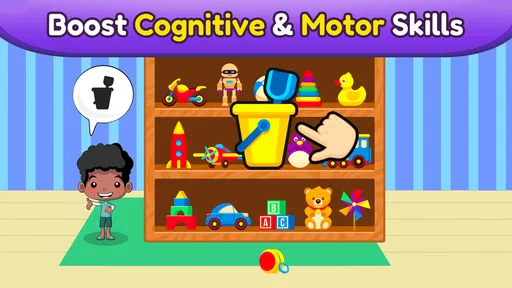
The app offers a range of educational benefits, including the development of cognitive skills, fine motor skills, and early literacy and numeracy skills. Through interactive play, toddlers can learn colors, shapes, numbers, and letters, enhancing their readiness for preschool and kindergarten.
Are there in-app purchases in Learning Games for Toddlers?
The app offers a free version with a selection of games, but to access the full range of features, users may need to make in-app purchases. These purchases unlock additional content and games, providing a more comprehensive educational experience for your child.


